
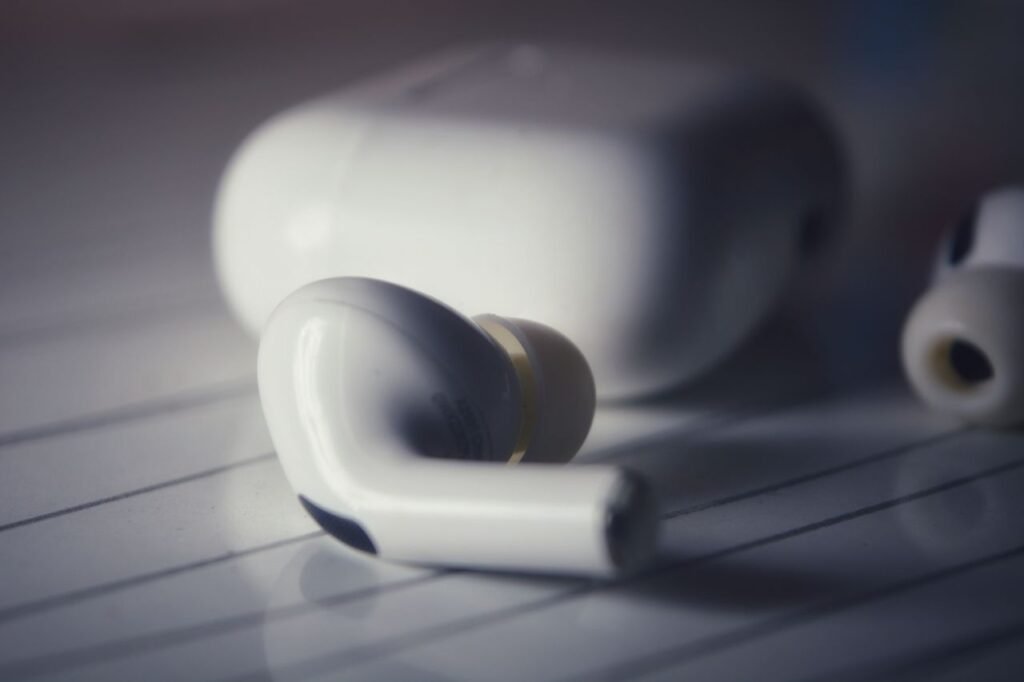
The short answer
Bluetooth is a short-range wireless technology that lets nearby devices talk to each other without a cable. Your phone uses it to send music to headphones, to connect to your car, to talk to a smartwatch, and to share a file with a laptop across the room. It is managed by the Bluetooth Special Interest Group, known as the Bluetooth SIG, a trade association of member companies that maintains the specification so a phone from one brand can pair with headphones from another and simply work.
Bluetooth is not a replacement for Wi-Fi. Wi-Fi connects your home to the internet and covers a whole house. Bluetooth connects two devices that are close together, uses far less power, and is built for short, personal links — the kind of connection you carry in your pocket. That difference explains almost everything about how it works, what it is good at, and when you should switch it off. It began at Ericsson in the 1990s as a replacement for the cable between a phone and a headset; in 1998 Ericsson, IBM, Intel, Nokia and Toshiba formed the Bluetooth SIG to turn it into a shared standard, and the name comes from Harald Bluetooth, a tenth-century Danish king remembered for uniting Danish tribes.
How Bluetooth works
Bluetooth devices communicate by radio, in the 2.4 GHz frequency band — the same crowded band Wi-Fi, microwave ovens and many cordless devices use. The Bluetooth SIG’s official technology overview, checked today, gives the exact details: Bluetooth Classic streams data over 79 channels in the 2.4 GHz unlicensed industrial, scientific and medical (ISM) band, while Bluetooth Low Energy, known as Bluetooth LE, transmits over 40 channels in the same band. Both use the range 2.402 to 2.480 GHz.
To cope with all the other traffic in that band, Bluetooth constantly hops between channels — hundreds of times per second in the Classic radio — so that if one channel is busy or noisy, the next one probably is not. The two devices also agree to avoid channels that are badly affected, a technique called adaptive frequency hopping. The result is a connection that keeps working in a busy office or a crowded train, even though dozens of other radios are transmitting nearby.
Pairing: the first handshake
- Put the accessory — headphones, a speaker, a watch — into pairing mode, usually by holding a button until a light flashes.
- On your phone, open Settings, then Bluetooth, and make sure Bluetooth is switched on.
- Your phone scans and lists nearby devices. Tap the name of the accessory.
- The two devices exchange cryptographic keys. Sometimes you confirm a code shown on both screens.
- From then on, they recognise each other and reconnect automatically when both are switched on and in range.
Classic Bluetooth vs Bluetooth Low Energy
Bluetooth Classic, also called Basic Rate / Enhanced Data Rate (BR/EDR), is the original radio. The Bluetooth SIG says it is mainly used to enable wireless audio streaming, and it has become the standard radio behind wireless speakers, headphones and in-car entertainment systems. It also handles data transfer such as mobile printing. Its data rates, from the SIG’s official table, are up to 1 Mb/s on the basic rate, 2 Mb/s and 3 Mb/s on the enhanced rates.
Bluetooth Low Energy (LE) is designed for very low power operation. It sends small bursts of data and then sleeps, which is why a smartwatch, a fitness band or a luggage tracker can run for weeks or months on a tiny battery. The SIG’s table gives LE data rates of 1 Mb/s and 2 Mb/s, and slower coded rates of 500 Kb/s and 125 Kb/s that trade speed for longer range. Bluetooth LE also supports more ways of connecting than Classic: point-to-point, broadcast to many listeners at once, and mesh networks, where many devices relay messages between each other around a building. Newer LE Audio features run on the LE radio and include Auracast broadcast audio, letting one transmitter broadcast to many nearby listeners at once.
What Bluetooth is used for
Headphones and speakers. This is still the most common use: music, podcasts, calls and audiobooks, streamed wirelessly from a phone, tablet or laptop.
Cars. Bluetooth connects a phone to a car’s hands-free system for calls and music, and in many newer cars it also acts as a digital key that unlocks the doors as you approach.
Watches and fitness trackers. A watch syncs steps, heart rate, sleep and notifications to your phone over Bluetooth LE, using so little power that the watch battery lasts days.
Keyboards, mice and game controllers. A wireless keyboard or a controller for a phone or a console usually connects over Bluetooth, because the data rate needed is small and the low power use matters.
Smart-home devices and trackers. Locks, lights, thermometers and item finders such as luggage tags use Bluetooth LE to talk to a phone nearby, or to form a mesh around a home.
Range and battery: what to expect
Bluetooth is a short-range technology by design, and the useful range depends on the power class of the radio and on what is between the devices. The Bluetooth SIG’s specification allows a maximum transmit power of up to 100 mW, and in the most widely used mode transmission power is limited to 2.5 milliwatts, giving a very short range of up to about 10 metres (33 feet). Higher-power designs can reach up to about 100 metres in open space, but walls, your body and interference all cut the range down in real life.
Is Bluetooth safe?
Bluetooth has had security problems over the years, as any twenty-five-year-old wireless technology has, and the specification has been updated to fix them. Modern Bluetooth encrypts the link between paired devices, so the audio and data passing between your phone and your headphones are not sent in the open. The main risks today are the habits around pairing and discovery.
A few simple habits cover almost all of it:
- Only pair with devices you own or trust. If a pairing request appears from a device you do not recognise, decline it.
- Turn off discoverability when you are done pairing. Most phones are only discoverable while the Bluetooth settings screen is open — do not leave that screen open in a crowded place.
- Forget old pairings. Remove headphones, hire cars and hotel speakers you no longer use. A forgotten rental car that still holds your phone’s pairing can reconnect and access your contacts or call history.
- Keep your phone’s software updated. Security fixes for Bluetooth arrive through ordinary operating-system updates. Our guide to iPhone settings to check after an iOS update is a useful check after any update, including the Bluetooth and privacy settings.
Bluetooth tracking is a related worry. Because Bluetooth LE is used by item finders, your phone can detect unknown trackers travelling with you. Both iPhone and Android now warn you if an unknown Bluetooth tracker appears to be moving with you, and both let you make it play a sound so you can find it. If you get such a warning, do not ignore it. Treat an unexpected pairing or connection request with the same suspicion as a scam message or call — our guide to online scams in 2026, from messages and calls to AI voices explains the patterns to watch for.
When to turn Bluetooth off
You do not need to switch Bluetooth off every time you put your phone down. Leaving it on is normal, and it is how your watch, headphones and car stay connected. But there are times when switching it off is the right call: on a plane, if the crew asks; when you are not using it and battery is low (a small saving, not a rescue); in a crowded place, after pairing something new, so the phone stops advertising itself; when something behaves strangely, such as the phone connecting to a speaker you do not recognise; and before selling or giving away a device, after unpairing it. Turning Bluetooth off does not delete your pairings. Switch it back on and your headphones, watch and car will reconnect as before.
The bottom line
Bluetooth is a short-range, low-power radio that quietly connects your phone to the things around you — headphones, cars, watches and speakers — without cables. If music stutters, the usual cause is distance or a wall in the way: move the phone closer and it usually clears up. If headphones will not connect, put them back in pairing mode, turn Bluetooth off and on again, and if that fails, forget the pairing and pair from scratch. You do not need to understand channels and modulation to use it well. Pair only with devices you trust, keep your software updated, forget pairings you no longer need, and turn it off when you are done in a crowded place. Everything else is just enjoying the music.